
Opotunity User Manual
Your step-by-step guide for smooth navigation and total inclusion across our platform.
Welcome to Our Guide!
We designed this section to help everyone discover Opotunity opportunities with ease. Whether you are a first-time volunteer, a local NGO partner, or an individual wanting to utilize our premium accessibility panel, the visual guide below will teach you how to easily navigate our site.
1. Navigating the Home Page
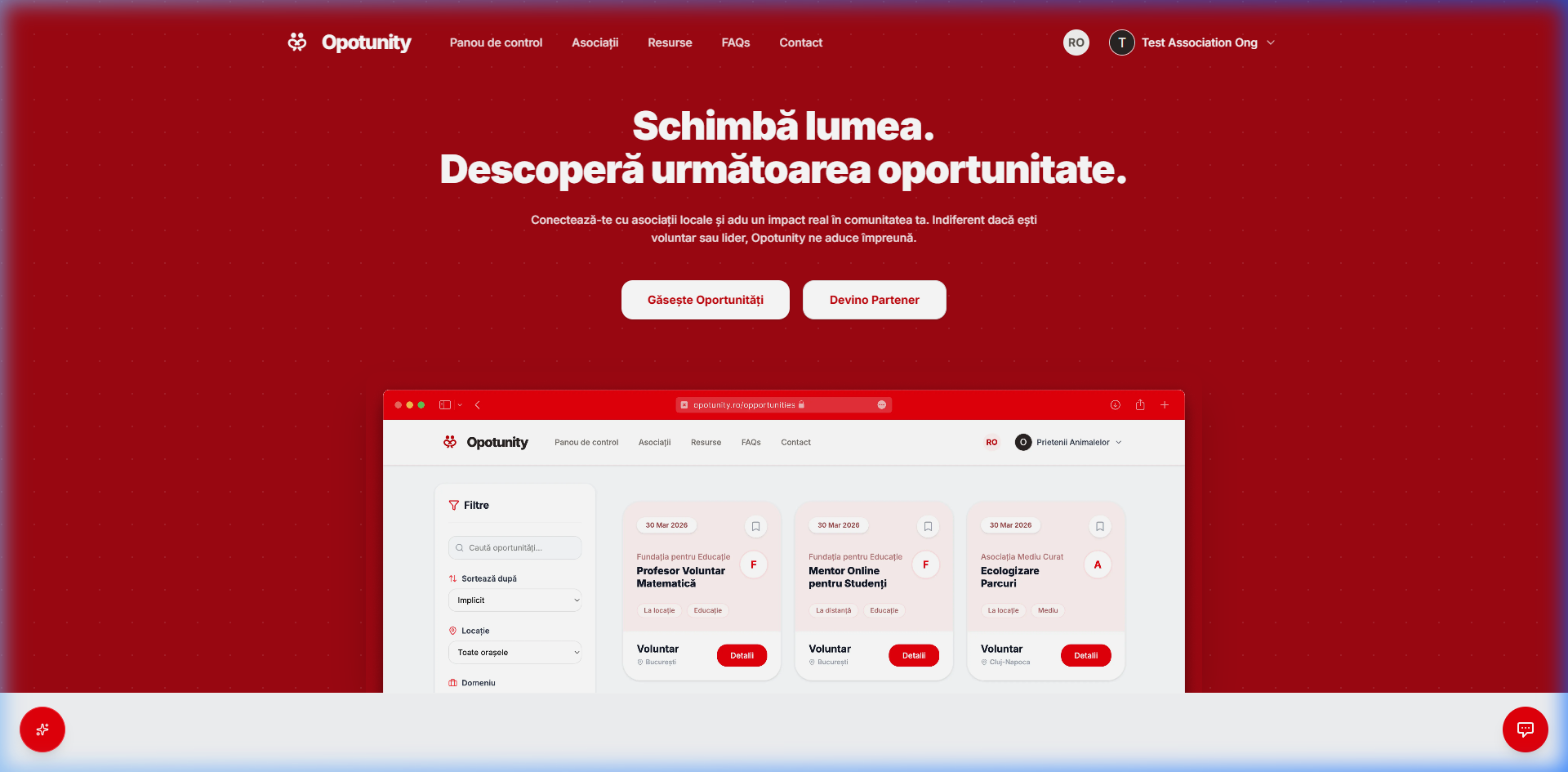
The Opotunity layout is engineered to feel spacious and transparent. Here is how to navigate the main screen:
Main Navigation Bar
At the top header, find rapid links to key pages (Dashboard, Associations, Resources, FAQs, Contact).
Language Selector Toggle
You can toggle the whole site translation anytime between Romanian (RO) and English (EN) using the header globe.
Action Callouts
Click the red button 'Find Opportunities' to enter the search directory, or 'Become a Partner' if you manage an association.
Dyslexia & Senior Tip
If reading feels strained, the fastest way to make the site highly comfortable is to combine the Dyslexia Font with a 130% Text Sizing.
Keyboard Navigation Standards
All interactive items feature strict ARIA tags, allowing seamless keyboard-only TAB navigation and full compatibility with external tools like NVDA or JAWS.
Still need help?
If you have any questions or want to find out more details about how the platform works, you can contact us at any time.
Get In Touch